
Tutorials
Vivado write_cfgmem: Create an MCS File for SPI Flash
Published · Updated
A configuration-memory file is the output of a layout decision, not just a renamed BIT file. Before running write_cfgmem, establish the memory capacity, configuration interface, input bitstream and starting address. This walkthrough covers the single-SPI workflow documented in Vivado 2024.1. It does not cover a pair of Quad SPI memories or execute programming on a board.
Collect four inputs before generating the file


Start with the exact Flash ordering code and the board's configuration interface. Read the capacity from the device documentation, then normalize it to the units the command expects. The write_cfgmem size argument is expressed in MBytes and requires a power of two in the cited command reference. A density stated in bits must not be copied into that field unchanged.
For example, 128 Mib corresponds to 16 MiB. This conversion does not select a particular Flash or establish its compatibility. The board circuit, voltage requirements, addressing behavior and tool support still need their own evidence. Keep the device documentation beside the calculation.
Identify the implemented BIT file by its actual path and release identity. Work in a separate output directory so that generating a new image cannot silently replace an approved artifact. Record the Vivado version used for the generation step.
Pin the release first: consult Vivado version and tools when recording your generation environment.
Build a single-flash command
Use the documented format, size, interface and load parameters to describe the intended job. The interface is significant: an output generated for the default interface is not automatically appropriate for a board using SPI. Do not add bit-swap overrides from an unrelated tutorial without understanding the consuming programmer's expectations.
The loadbit input describes a bitstream and its load location. Additional raw data has a separate loaddata path. Those inputs are not interchangeable merely because both appear in the same output image. The official command reference describes the formatting behavior of each.
A command copied from a dual Quad SPI example can include address conventions specific to two memories. Keep that example out of a single-memory recipe. If the arrangement differs from the stated scope, return to the documentation for that arrangement instead of editing only the filename.
For a reviewed single SPI x4 design with a 16 MiB memory, an input named release.bit and a load address of zero, the generation command can be written as follows. These values are an example, not a board autodetection result. Run it in Vivado Tcl, in a fresh output directory, after confirming the board uses this interface.
write_cfgmem -format MCS -size 16 -interface SPIx4 \
    -loadbit "up 0x00000000 release.bit" -file release.mcs
The command prepares a file; it does not erase or program a connected board. Avoid adding -force to a release recipe by default: a new filename makes an unintended replacement easier to notice.
| Example argument | Review evidence |
|---|---|
| size 16 | Memory capacity converted to MBytes |
| SPIx4 | Board configuration interface and bitstream settings |
| up 0x00000000 | Approved image map, not a guessed boot register value |
| release.bit | Released implementation file and its identity |
Before choosing the size argument, check storage capacity; the output file is not a capacity calculation.
Read the output before handing it over
Read the full generation log and retain any error message. AMD documents that write_cfgmem reports conflicting loaded data as an error. That check is useful, but it does not replace a review of preserved regions or the erase operation that the eventual programmer will perform.
Avoid quiet in an acceptance script unless its error semantics have been explicitly accounted for. For this command, the reference warns that internal errors can be trapped while TCL_OK is returned. A later print statement saying done is not evidence of a valid output.
Check that the expected output was newly produced, rather than finding an older file with the same name after a failed command. Associate the output with the log, inputs and generation settings. File existence by itself is a weak success criterion.
After programming, verify flash boot separately; generation success cannot prove startup.
Keep the generation record with the image
Store the source BIT identity, generated image identity, tool version, interface, capacity and address map together. Describe whether the file is intended for direct hardware-manager programming or another supported programmer. The recipient should not have to infer these choices from a filename.
Generating the file is only the preparation stage. Erasing, programming, verifying and independently booting the board are separate operations with separate results. A good handoff states which of them has actually been performed and leaves the others pending.
Use the parameter worksheet to collect the values and their sources before generating a production image. Its output is a review record; it neither opens Vivado nor inspects a connected device. For an unresolved setup, attach that record and the exact Flash identity to an engineering discussion.
Before handing the image to another operator, record the released file and retain its identity.
Technical references for this scope: AMD UG835 2024.1 — write_cfgmem; AMD UG908 2023.2 — Creating a Configuration Memory File; AMD UG908 2024.1 — Example write_cfgmem Usage.
Highlight the three review items
Each highlight marks one item to review, not elapsed hardware time. The static figure contains the same information.
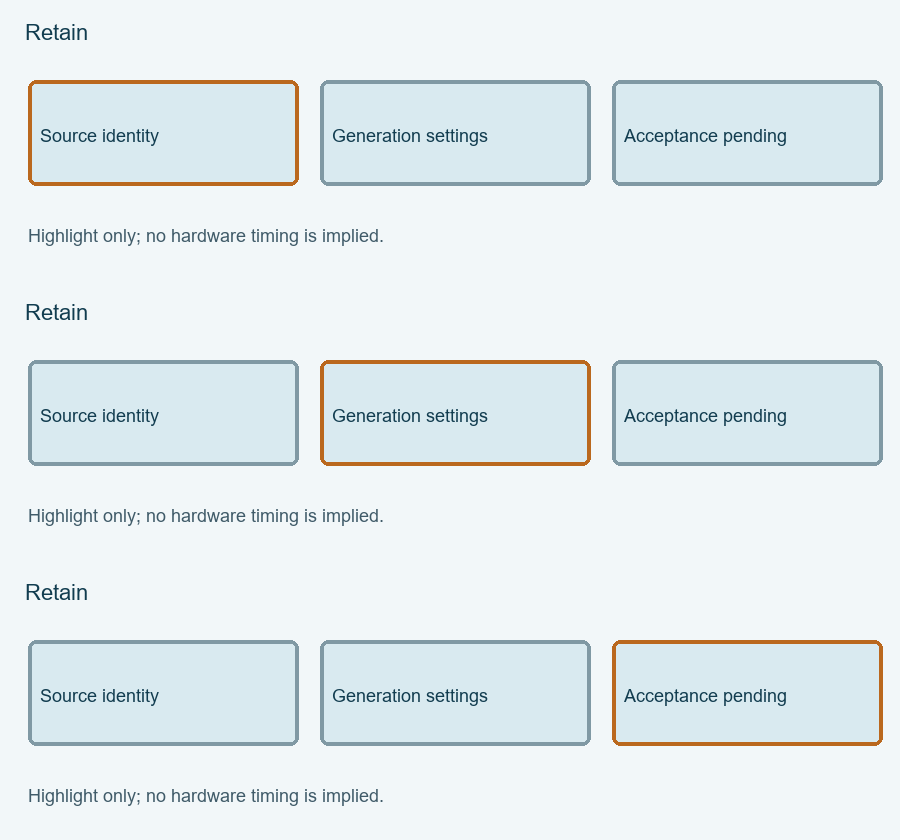
Enable JavaScript for the local Single-SPI cfgmem parameter checker. The article above provides the manual procedure; no data is submitted automatically.
Review and export your result before opening the engineering discussion entry. Attach the exported text yourself; opening the entry does not submit it.
Reference scope checked 15 November 2026. Calculations and conceptual diagrams describe the stated model. Commands and board behavior require validation in the actual tool and board environment.