
Tutorials
Vivado Unconstrained Paths: Find What the Timing Report Is Missing
Published · Updated
“No failing paths” is useful only when the paths you intended to analyze were actually checked. Unconstrained paths are a coverage problem. Resolve the missing timing model before using slack as evidence that a design is ready.
Make a boundary inventory
List the top-level clocks, synchronous data interfaces and intentional asynchronous inputs. For each, record its source, destination and intended timing treatment. The ZedBoard photograph shows why this is a board-level exercise: connectors, switches and peripheral interfaces do not all share the same timing contract. It is a reference board photograph, not the design used for a timing run here.


An interface may be absent from a report because its clock is missing, its external delay is undefined, its logic was optimized away, or an exception cut it. Those cases require different responses. Keep an “unresolved” category rather than forcing every pin into “timed” or “false path.” A board bring-up checklist helps connect the RTL inventory to the schematic.
Check the selected Vivado project and tool version before running the audit. A good report from another constraints set does not cover the current build.
Ask for unconstrained paths explicitly
report_clocks -file clocks.rpt
check_timing -verbose -file check_timing.rpt
report_timing_summary -delay_type min_max -report_unconstrained \
  -check_timing_verbose -file timing-summary.rpt
report_exceptions -file exceptions.rpt
The UG835 documentation states that the default timing summary does not include unconstrained paths. Request them explicitly and read the timing checks, rather than relying on the summary headline. Preserve warnings and object-query messages in the run log; hiding them with quiet options makes coverage debugging harder.
| Finding | Next investigation |
|---|---|
| No clock at a sequential endpoint | Trace the clock pin back to a primary or generated clock. |
| Missing synchronous input/output delay | Derive an external timing budget from both devices and the board. |
| Path absent after an exception change | Inspect the selected endpoints and exception report. |
| Expected logic missing | Check synthesis optimization, unused outputs and the opened design revision. |
Use the primary-clock example for a true external clock and the I/O delay calculation for a synchronous external interface. A reset input or status crossing needs its own architecture review; inventing a synchronous delay does not make an asynchronous signal synchronous.
Close findings individually, then rerun the audit
For each finding, preserve the object or path, the warning category, the explanation and the evidence used to resolve it. “Waived” should mean an intentional, reviewed treatment, not that the warning became inconvenient. A broad wildcard exception can remove the symptom while also removing valid timing checks.
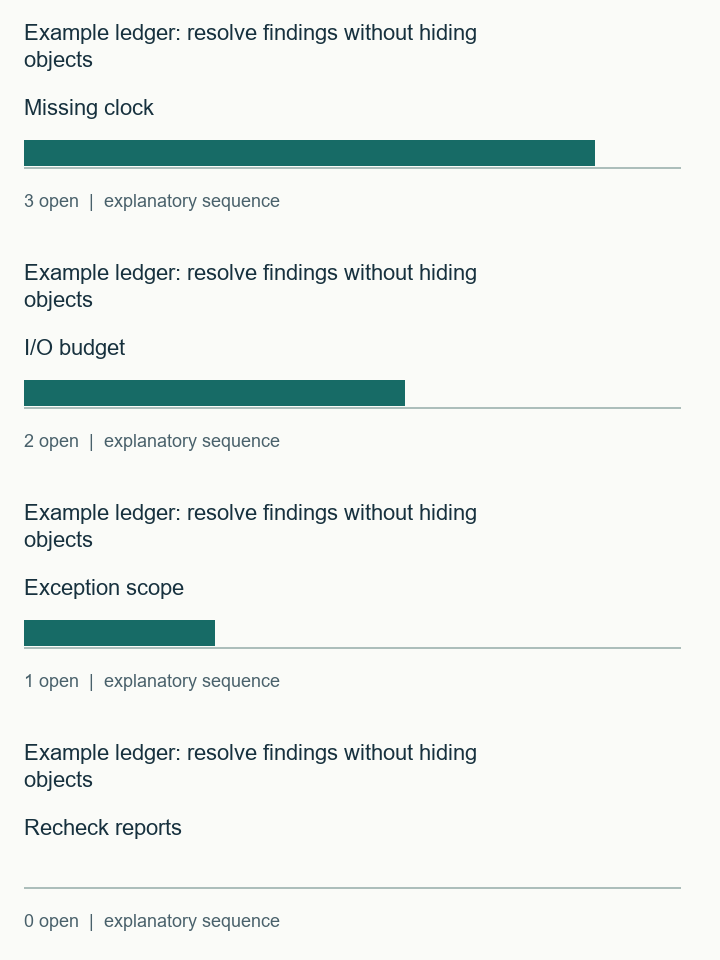
The ledger below tracks missing clocks, missing I/O bounds and unresolved exception scope separately. Zero entered findings means only that your ledger is empty. It is not proof that the tool inspected every required path. Attach the reports and compare their object lists with the boundary inventory.
After the fix, rerun coverage and both minimum- and maximum-delay analysis. Keep the before/after constraint diff. If a real timing failure becomes visible, that is progress: the design now has a check that can fail. Continue with timing-violation triage.
For deliberate asynchronous paths, review the synchronizer or protocol before choosing exceptions. The exception guide explains why a false path is a statement about analysis, not a replacement for a safe crossing.
Timing-coverage ledger
Inputs and exported records stay in this browser. The check evaluates the assumptions you enter; it does not inspect your project files.
Use the worked values and equations above, or download the examples below. The interactive check requires JavaScript.
Watch the short example ledger: resolve findings without hiding objects sequence
The sequence visualizes the stated example. It is not a hardware capture. The static figures and text above contain the same explanation.
Export the open findings and attach the clock, timing-check and exception reports for review.
Download the timing and RTL examples (ZIP) · Discuss this engineering task
The ZIP includes the clock and I/O examples, timing-audit commands, counter/latch/reset RTL and testbenches. Bring the relevant exported record to the enquiry; this page does not submit it automatically.
References and example scope
- AMD UG835 2024.1 — report_timing_summary
- AMD UG903 2024.1 — Primary Clocks
- AMD UG903 2024.1 — About Constraining I/O Delay
Documentation checked 16 November 2026. AMD examples use the cited 2024.1 documentation baseline. Vivado commands and vendor macros were not executed for this article. Counter, latch and illustrative reset tests were executed with Icarus Verilog; latch structure was checked with Yosys. See the included commands and validation record for the exact scope.