
Tutorials
Vivado Cannot Connect to hw_server: Local and Remote Checks
Published · Updated
A hw_server connection failure happens before Vivado can meaningfully inspect the FPGA behind that server. Begin with the machine that owns the programming cable, the server process running there, and the endpoint selected by the client. Keep these three facts separate. A reachable lab computer is not proof that the required process is listening, and a connected server is not proof that a target device has been discovered.
This procedure addresses local and remote server sessions. It does not require opening a server to the public Internet or disabling a firewall. Its output is a connection report that a lab operator or network administrator can reproduce without guessing which computer, executable or port was involved.
Open the diagnostic worksheet ↓
Establish which computer owns the cable

Write down the physical arrangement first. In a local setup, Vivado and the cable-owning server run on the same computer. In a remote setup, the client and the cable host are different computers. Label the client computer, server computer, programming cable and target board separately. Remote desktop access does not change where the cable is physically connected, but it can make it easy to confuse which desktop is running which application.
AMD’s Open New Hardware Target procedure, checked as UG908 2026.1, distinguishes local and remote selection. It describes automatic local-server startup and requires a manually started remote server of the matching Vivado version. Record the version of the process actually launched, not merely the newest release installed somewhere on the machine.
Multiple installed releases deserve particular attention. A shortcut can point to one installation while a terminal search path resolves another. The display name of a folder is weaker evidence than the executable path and version reported by the launched program. Ask the server operator to retain the startup output together with the client version. Do not copy private machine details into a public discussion unnecessarily; use stable aliases when sharing externally.
Use the endpoint from the intended server configuration. A hostname, IP address and port are not interchangeable pieces that can be adjusted at random until a connection appears. A successful connection to a different lab machine can expose a different cable inventory and send later troubleshooting in the wrong direction. Check identity before selecting a target or starting any programming operation.
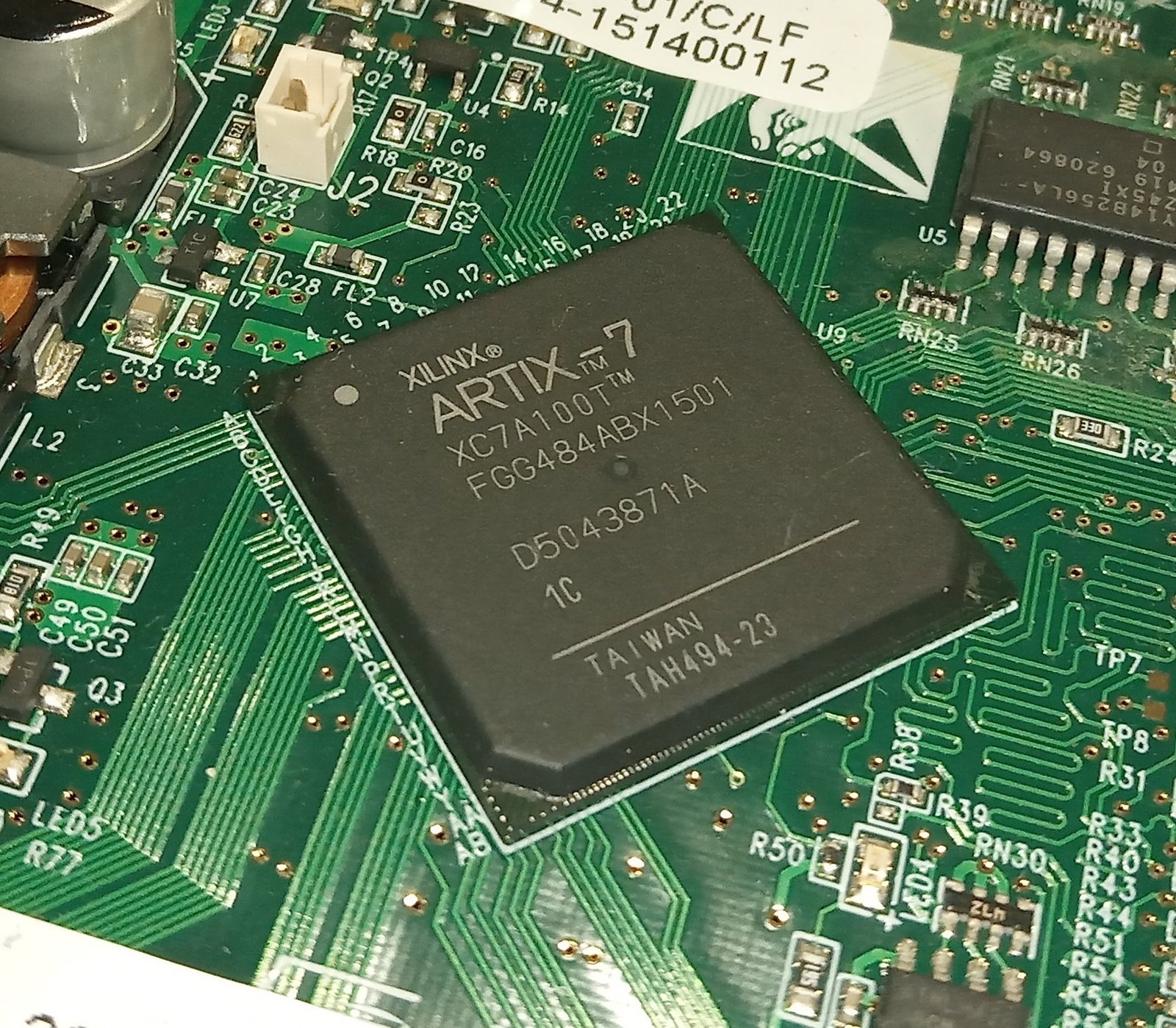
The board photograph in this section provides physical device context, not evidence of a running server. Server connectivity can be investigated without pretending that the pictured board is the tested target. For an Artix-7 project, retain the exact installed ordering code; the XC7A100T-1CSG324C listing illustrates the specificity needed. The photographed FGG484 package is a different package and is not a pin-compatible substitute.
Define the observed failure in one sentence: “Client release X on computer A attempted endpoint B at time T and reported message M.” Include whether a local or remote option was selected. This short statement often exposes a setup mistake before any network investigation starts. It also gives another person something precise to confirm instead of asking them to investigate a vague “Vivado timeout.”
Separate process, endpoint and network evidence
Check whether the intended server process is running on the cable host. If it is not, use the launch procedure for that installation and retain the startup messages. If it exits immediately, capture the exit output rather than repeatedly relaunching it. A process that never remains running cannot accept the intended session. This is a process-start problem even if the client eventually reports a network-related symptom.
If a process is running, verify its executable path, version and configured listening endpoint. Do not conclude that the right service exists just because a similarly named process appears. On a shared lab computer, coordinate with the operator before terminating or restarting anything. Another engineer may be programming a board or collecting a long debug capture through the same service.
Next compare the endpoint on the client with the endpoint configured on the server. Record the exact port and address family where relevant. A server bound only to a local interface does not become remotely reachable merely because the machine has a network address. Conversely, a connection to a remote host should use the authorized lab path established for that host, not an improvised public exposure.
Classify the client symptom without overinterpreting it. An immediate refusal suggests that something actively rejected the attempted connection, but it does not by itself identify whether that was the intended host, an intermediate policy device or the relevant process. A timeout means the expected exchange did not complete within the allowed interval; it does not uniquely identify a firewall problem. A name-resolution error is different again and should retain the exact hostname that failed.
Use a narrow comparison that preserves the endpoint. If the server host can connect locally while the authorized remote client cannot, that makes the remote path worth examining. It still leaves binding, routing, name resolution, filtering and client configuration to distinguish. If neither local nor remote access works, start with the intended process and endpoint rather than changing network policy first.
When involving a network administrator, provide source and destination aliases, the intended service port, timestamp, observed error and whether a local test succeeded. Ask for verification of the specific allowed path. Do not request that every protection be disabled. A narrowly scoped diagnosis is easier to approve, easier to reverse and produces more useful evidence than a broad temporary exception whose effects are unclear.
Keep ping results in proportion. A response may show that one form of traffic reaches a host, but it does not establish the availability of the server application. A missing response may reflect a policy that does not affect the intended service. Record what test was performed and what it measured rather than converting every connectivity test into a blanket “network passed.”
Once a session connects, stop treating subsequent missing-target errors as the same failure. Save the session result and move to cable enumeration. Driver installation and cable ownership belong on the cable host. The programmer compatibility article is the next reference when the transport is established but the expected cable is absent. Rebuilding FPGA logic is still unrelated to that boundary.
Create a repeatable server connection report

Show the diagram with each evidence item highlighted
The highlight moves between the same four items. It does not represent elapsed hardware time. Close this disclosure to hide motion; the static diagram contains the same information.

Use the worksheet to record local or remote mode, client version, server version, process state, endpoint and connection outcome. It compares the entered version strings and identifies missing evidence. A textual match is only a consistency check: it cannot verify that the recorded strings describe the processes currently running. The report intentionally avoids claiming that a matched pair guarantees a working session.
Add the complete error and the sequence that produced it. Record whether the server was already running, started automatically, or launched manually for this attempt. Include any relevant access coordination, such as a previous session being closed by its owner. These details let another operator repeat the same procedure without interrupting unrelated work or guessing at the startup order.
A good controlled example is an endpoint correction with everything else fixed. Preserve the original failed attempt, change only the incorrect endpoint, and record the new result. If a session now connects, the correction has a clear relationship to the outcome. By contrast, upgrading software, rebooting both computers and replacing the cable together leaves several possible explanations even if the next attempt succeeds.
For intermittent failures, retain more than the final successful message. Write a row for each attempt with the timestamp, selected endpoint, process state and result. Keep attempts that failed before any board was detected. Excluding those failures makes the session appear more reliable than the operator actually experienced. If a reconnect procedure is required, describe it explicitly rather than hiding it inside a pass count.
After the server connects, record the cable inventory before selecting a target. This provides a handoff point between server administration and board debugging. If the expected cable is absent, include its model and serial identifier in the next report. If the cable appears but the device does not, add board power and chain observations. The PCB bring-up checklist then becomes relevant to the physical side of the problem.
For a recurring lab workflow, the programming fixture guide helps define ownership, connection order and records for each board. Include a server-session check in the fixture procedure, but do not merge it with device or programming acceptance. Separate results allow a failed workstation session to be distinguished from a failed board when production data is reviewed later.
Without JavaScript, create the same report in a text editor. Use the field labels shown in the article and retain unknown values explicitly. Attach startup output and the client error as separate records with timestamps. The worksheet is a convenience for organization and export; it is not required to perform the reasoning, and it never opens a connection on your behalf.
If the next step requires outside help, use the engineering discussion entry with the exported record and the unresolved boundary. State whether assistance is needed with installation/version alignment, the authorized network path, or target enumeration after connection. That request is actionable because it identifies both the evidence already collected and the specific observation still missing.
Enable JavaScript for the local worksheet, or use the manual record procedure in the article. No data is submitted automatically.
Use the record for the next engineering decision
Review and download the worksheet above. For board-level help, open the engineering scope entry and include the exact board revision, observed failure and unresolved check. For an exact-part enquiry, use the component quotation entry with the complete ordering code and quantity. Opening either entry does not submit a request.
Reference scope
Prepared for the specific diagnostic task shown above. Source checks: 2026-11-14. UG470 references use v1.17; cited UG908 task pages were checked as 2026.1 where stated. Hardware commands and board behavior require verification in the actual setup. Concept figures and hypothetical examples are not measured test results.