
Tutorials
Vivado Timing Violations: Read the Failing Path Before Changing RTL
Published · Updated
A negative slack value tells you that a timing requirement was missed. It does not tell you whether the requirement is correct, which part of the path dominates, or which change is worth trying. Start with one failing path and keep its build context attached.
Match the report to the device and build
Open the implemented design that produced the bitstream under investigation. Record its exact part, speed grade, Vivado version, constraints revision and implementation run. A report from synthesis can guide RTL work, but it is not interchangeable with a routed result. If the board is running an older image, a new timing report cannot explain its behavior; verify the running bitstream first.
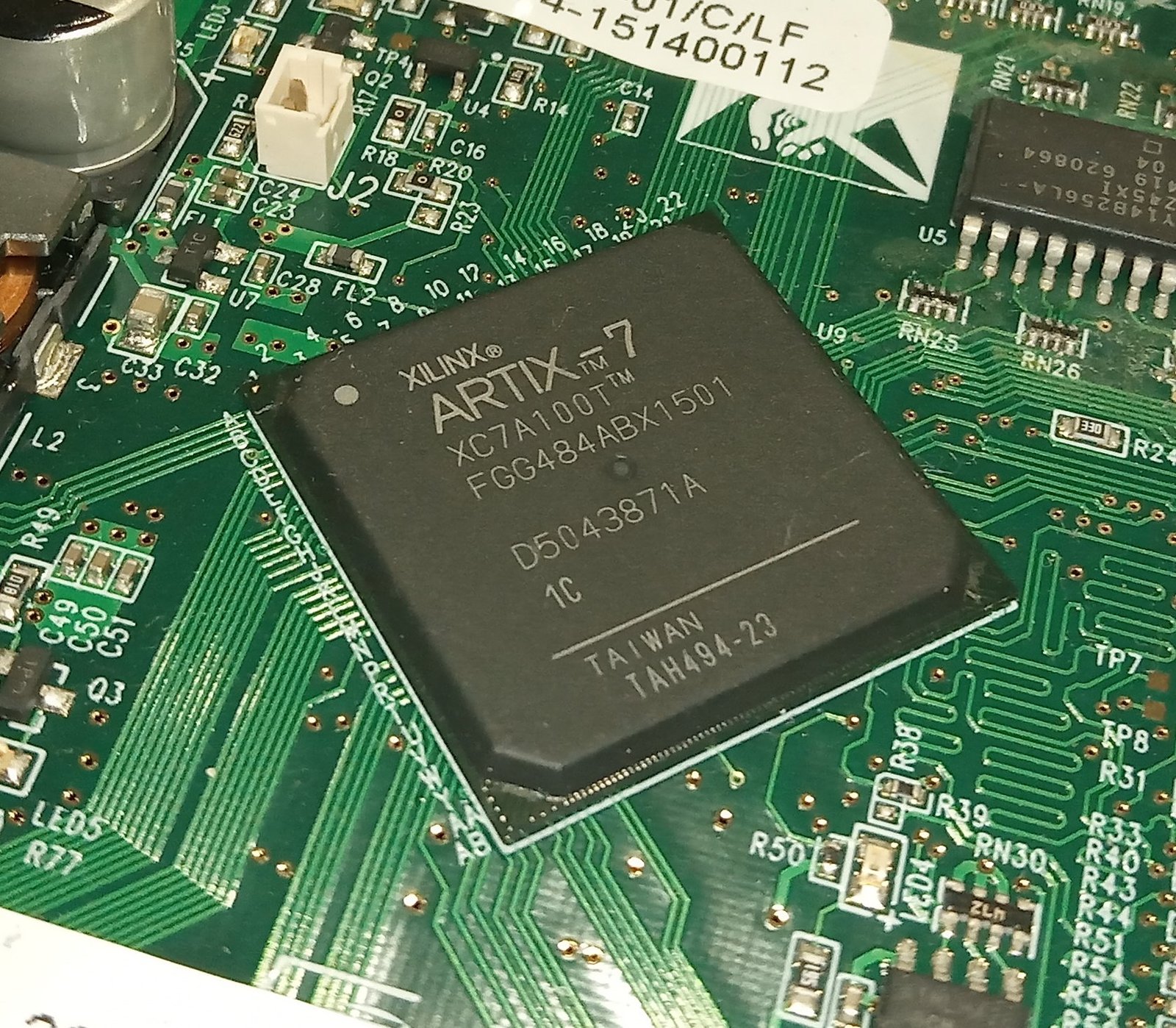

The photograph shows an XC7A100T in an FGG484 package. Package markings help establish identity, but the project must specify the complete ordering code. The catalogue entry for XC7A100T-1CSG324C describes a different package. Do not use its pinout for the photographed device.
report_timing_summary -delay_type min_max -max_paths 10 \
  -report_unconstrained -check_timing_verbose -file timing-summary.rpt
The command is documented for Vivado 2024.1. Run it in your opened design. The download includes the command and supporting reports; this article does not supply a measured Vivado run. If no clock reaches the endpoints, follow the unconstrained-path investigation before treating a green summary as success.
Read the arrival and required times together
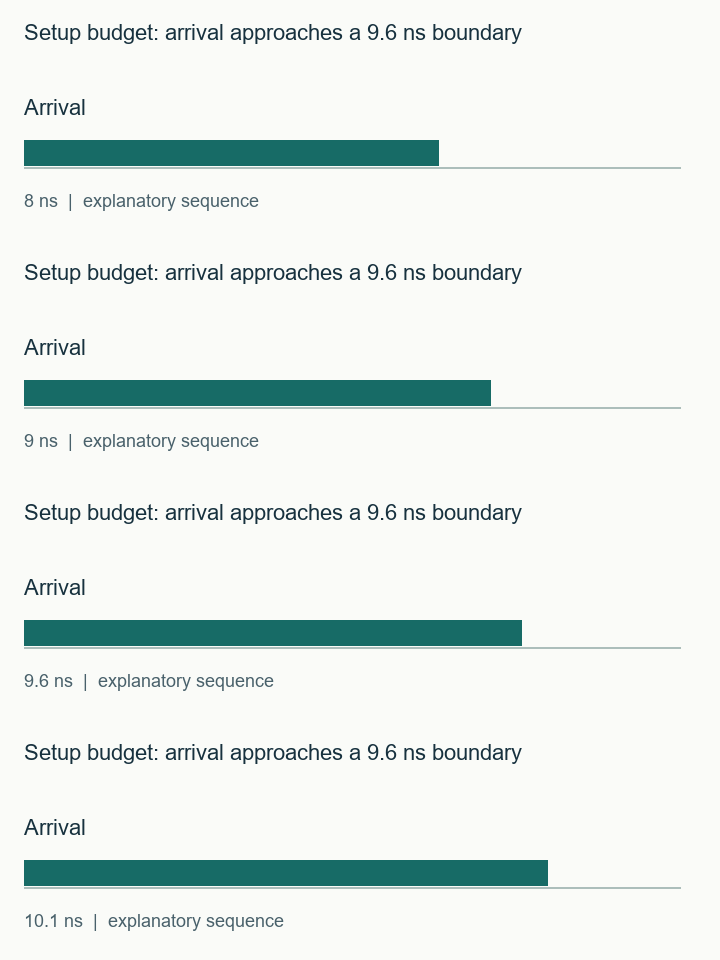
Select the failing path and identify the launch register, capture register, launch clock, capture clock and check type. For a setup check, data must arrive before its required time. In the simplified arithmetic example below, required time is 9.6 ns and arrival is 10.1 ns, giving −0.5 ns slack. Those numbers illustrate the sign convention; they are not a screenshot or device measurement.
A hold check asks whether the earliest data arrives too soon. Its slack uses the opposite ordering: arrival minus required. Adding a pipeline stage to solve setup does not by itself establish correct hold behavior. Read the minimum-delay path separately, including the clock path and uncertainty terms shown by the tool.
| Observation | What to inspect next |
|---|---|
| Many logic levels | Which operation or priority chain consumes the delay? Can the protocol tolerate another cycle? |
| Routing dominates | Are high fanout, distant placement or congestion visible on this path? |
| Unexpected clock pair | Trace both clock definitions and intended relationship. |
| Different failing endpoints each run | Compare path groups and overall failing-endpoint counts; do not track only one register. |
A large routing percentage is a clue, not proof that floorplanning is the next move. A wide mux created by the RTL can cause both logic and routing pressure. Save the complete path before choosing an experiment.
Make one change and compare the same evidence
Choose a change with a testable prediction. For a long arithmetic chain, that prediction might be fewer combinational levels after adding a pipeline boundary. For an accidental clock definition, it might be a corrected launch/capture relationship after fixing the primary-clock constraint. Write down the expected effect before rerunning implementation.
Keep setup, hold, coverage and exceptions in the comparison. A run with improved WNS but newly unconstrained endpoints is not a successful closure result. A lower requested clock frequency changes the requirement; it is useful only if the product can actually run at that frequency. Record such a change separately from implementation improvement.
Preserve the path for a second reader
Use the triage record below to preserve the startpoint, endpoint and failing check. Select “unknown” when the report does not yet support a cause. The result recommends a next inspection, not an automated RTL fix. If the proposed fix is a timing exception, read the false-path versus multicycle decision and attach the functional proof before changing XDC.
When sending a path for review, include the full report, the relevant RTL and XDC, the exact build identity, and the required operating frequency. A cropped WNS number leaves out the evidence needed to distinguish a real timing problem from an incorrect constraint.
Path triage record
Inputs and exported records stay in this browser. The check evaluates the assumptions you enter; it does not inspect your project files.
Use the worked values and equations above, or download the examples below. The interactive check requires JavaScript.
Watch the short setup budget: arrival approaches a 9.6 ns boundary sequence
The sequence visualizes the stated example. It is not a hardware capture. The static figures and text above contain the same explanation.
Export the path record, then include the full timing report when requesting an engineering review.
Download the timing and RTL examples (ZIP) · Discuss this engineering task
The ZIP includes the clock and I/O examples, timing-audit commands, counter/latch/reset RTL and testbenches. Bring the relevant exported record to the enquiry; this page does not submit it automatically.
References and example scope
Documentation checked 16 November 2026. AMD examples use the cited 2024.1 documentation baseline. Vivado commands and vendor macros were not executed for this article. Counter, latch and illustrative reset tests were executed with Icarus Verilog; latch structure was checked with Yosys. See the included commands and validation record for the exact scope.